
Make Smarter Decisions, Automate
Governance & Manage Risks with AI
A vendor violation. A failed audit. Missing compliance evidence. A privacy breach. Most organizations don’t realize how exposed they are until regulators, customers, or operations force the issue.
Governance, Risk, and Compliance should help organizations stay ahead of problems. Instead, many teams are buried in spreadsheets, disconnected tools, scattered evidence, and reactive processes.
Does this mirror your current reality?
An auditor asks for evidence, but the records are spread across emails, folders, and multiple systems.
Risk assessments are outdated before leadership even reviews them.
Vendor compliance is managed manually with little visibility into third-party exposure.
Incident response teams scramble because nobody owns the workflow or accountability.
Compliance teams spend more time preparing reports than improving controls.
There’s a better way to manage governance, risk, and compliance — and it starts with having everything connected in one platform.
From identifying a risk to resolving incidents and maintaining audit-ready compliance, here’s how VLC GRC transforms day-to-day operations.
A compliance manager spots unusual activity tied to a third-party supplier. Instead of pulling data from multiple spreadsheets and reports, VLC GRC brings vendor records, operational activity, and compliance controls into one view — making it easier to identify the risk, trace impacted processes, and decide on next steps quickly.
The system categorizes the risk immediately based on:
VLC GRC creates a standardized risk assessment workflow that connects past incidents, vendor reviews, policy controls, and mitigation actions in a single workspace. Teams can track findings, assign ownership, review control gaps, and monitor remediation progress without switching between systems.
Compliance teams can instantly:
No disconnected spreadsheets. No manual coordination. Decisions are clear and trackable.
As mitigation actions progress, VLC GRC continuously monitors related compliance controls, audit requirements, and regulatory obligations.
The platform tracks in real time:
Everything is timestamped and stored in an audit-ready record. VLC GRC also generates point-in-time audit snapshots, letting regulators and executives review exact compliance status, control posture, and open risks at a specific moment.


If a vendor issue escalates into an operational incident, VLC GRC launches a guided incident response workflow that records:
The incident is automatically linked to associated risks, controls, and processes to ensure nothing is overlooked.
Executives and compliance leaders no longer wait for static reports. VLC GRC dashboards show live enterprise-wide insights including:
Leadership makes informed decisions using operational intelligence instead of outdated summaries.
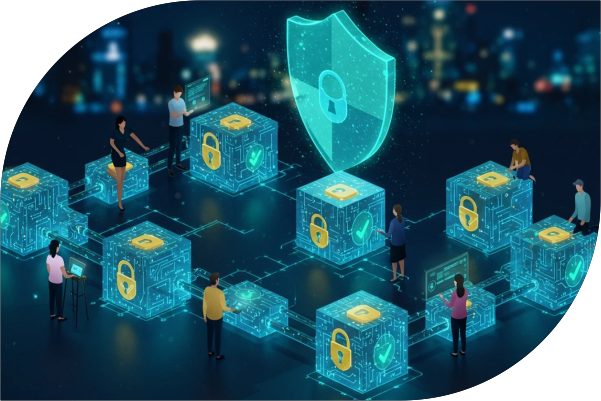

Over time, VLC GRC establishes a centralized governance and risk management framework across the organization — bringing policies, controls, incidents, vendors, and compliance activities into a single operational system.
The platform continuously helps teams:
What once was reactive compliance becomes proactive governance across every department and operation.
Stronger control, faster response, and continuous compliance visibility.
Monitor governance, operational risk, vendor exposure, compliance status, and incidents from one unified platform.
Every policy, approval, incident, and corrective action is automatically documented and traceable.
Move beyond vague spreadsheets and quantify risk based on operational impact and business exposure.
Track vendor compliance, assessments, obligations, and third-party violations in one place.
Launch structured response workflows immediately when incidents occur.
Live dashboards provide visibility into compliance gaps, audits, risk posture, and corrective actions.
Prepare for disruptions with continuity planning, impact analysis, and recovery workflows.
Because VLC GRC operates inside Business Central, governance data stays connected with operations, procurement, finance, inventory, and business processes.
Most GRC platforms focus only on checklists, isolated audits, or disconnected compliance workflows. VLC GRC is designed differently.
Most GRC tools operate outside your ERP, forcing teams to sync data, export reports, or manage compliance in disconnected platforms. VLC GRC operates directly inside Microsoft Dynamics 365 Business Central — connecting governance, operations, procurement, finance, inventory, vendor management, and compliance into one environment.
Traditional programs rely on static documents and periodic reviews. VLC GRC continuously monitors operational activity, vendor exposure, incidents, and compliance obligations in real time — so teams gain visibility early enough to reduce impact before risks escalate.
Designed for the people actively managing governance and operational risk every day — not just reviewing reports once a quarter:
Compliance managers, operations, IT, finance, procurement, vendor management, and executive leadership.
Most organizations manage audits in one system, vendor risk in another, incidents in spreadsheets, and evidence in shared folders. VLC GRC unifies everything into a centralized framework with connected workflows, reporting, and accountability.
VLC GRC continuously adapts controls and workflows to keep your framework aligned as regulations change — without system overhauls. Customize frameworks, adapt controls, expand governance models, add new requirements, and scale across departments and locations.
From one facility to multiple global locations, a small vendor network to complex supply chains, basic audits to enterprise-wide programs — VLC GRC scales with your operations while remaining manageable and centralized.
| Feature | VLC GRC | Traditional GRC Tools |
|---|---|---|
| Native ERP Integration | ✓ Built directly inside Business Central | ✗ Separate systems requiring integrations |
| Enterprise Risk Visibility | ✓ Unified operational risk monitoring | ⚠ Often fragmented |
| Vendor Risk Management | ✓ Built-in vendor oversight workflows | ⚠ Usually separate modules |
| Audit Management | ✓ Integrated audit & evidence tracking | ⚠ Manual or disconnected |
| Incident Response | ✓ Structured workflows & escalation | ⚠ Spreadsheet-driven in many organizations |
| Compliance Reporting | ✓ Real-time audit-ready dashboards | ⚠ Manual reporting cycles |
| Business Continuity Planning | ✓ Built-in continuity & recovery planning | ⚠ Limited or external tools |
| Deployment Time | ✓ Fast implementation | ✗ Long enterprise deployments |
| Scalability | ✓ Multi-department & multi-location ready | ⚠ Complex scaling |
Watch how VLC GRC helps organizations identify risks, manage incidents, streamline audits, and maintain continuous compliance — all from one connected platform.
Want to see VLC GRC with your own governance workflows and operational data?
Book a Live DemoGet the complete breakdown of VLC GRC features, governance capabilities, compliance workflows, and technical specifications.
Download Fact SheetSee how VLC GRC can simplify compliance, reduce operational risk, and improve governance visibility across every department.
Discuss With Our ExpertYes. VLC GRC is designed to operate natively inside existing Microsoft Dynamics 365 Business Central environments without requiring disconnected governance platforms.
VLC GRC supports governance workflows across Finance, Accounting, Manufacturing, Distribution, Warehousing, Shipping & Receiving, IT, Quality, Procurement, and Compliance teams.
Yes. VLC GRC includes vendor risk management capabilities for monitoring supplier compliance, third-party exposure, assessments, and operational risks.
Absolutely. VLC GRC supports structured internal audits, evidence tracking, findings management, corrective actions, and audit-ready reporting.
Yes. The platform includes business continuity management capabilities for disaster recovery planning, downtime analysis, emergency simulations, and operational recovery preparedness.
VLC GRC centralizes compliance monitoring, evidence collection, policy management, incident tracking, and audit workflows so organizations maintain continuous compliance readiness instead of reactive reporting.