
Visualize • Manage • Deliver
Unrealistic schedules and poor visibility cost manufacturers dearly—in missed delivery dates, excessive overtime, idle machines, and frustrated customers. Most planners are still fighting with static Excel sheets, whiteboards, or rigid ERP schedules that can’t adapt.
Sound familiar?
There’s a better way to run production—one where your schedule is visual, real-time, and reflects what’s happening on the shop floor.
From real-time scheduling to quick resolution of disruptions, here's how VLC Visual Scheduler improves your production planning.
See Your Entire Production Plan and Control It in Real Time
VLC Visual Scheduler turns complex production data into a clear, interactive visual timeline, so planners can spot issues instantly, adjust schedules faster, and stay in control.
The moment you open VLC Visual Scheduler, your entire production plan is displayed in a dynamic, timeline-based view. Orders, machines, and capacity are mapped visually, so you can see workloads, gaps, and overlaps immediately. No digging through tables. No piecing data together.

Overloaded machines, delayed orders, and scheduling conflicts are automatically highlighted on the timeline using clear visual cues. Bottlenecks and risks become immediately visible—so planners can identify problems the moment they appear.
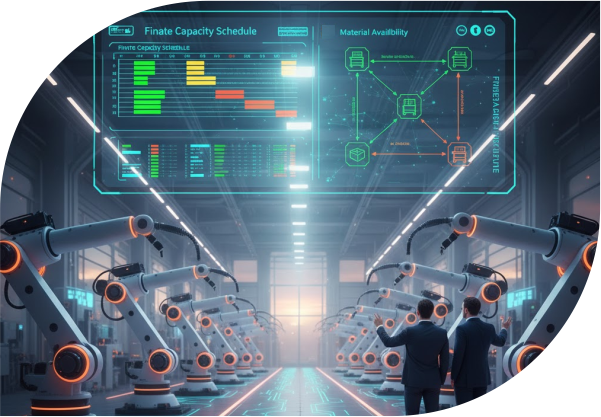
Make changes directly on the visual timeline. Drag and drop orders to new time slots, shift workloads between machines, or rebalance capacity in seconds. Every adjustment is intuitive, immediate, and reflected across the schedule in real time.

All teams work from the same live visual schedule. Updates appear instantly, so production, planning, and operations stay aligned without back-and-forth communication. Everyone sees the same plan—clearly and in real time.

Visual dashboards provide a real-time snapshot of performance—machine utilization, workload distribution, and schedule efficiency. With everything clearly displayed, you can quickly spot trends, fine-tune plans, and continuously improve production flow.
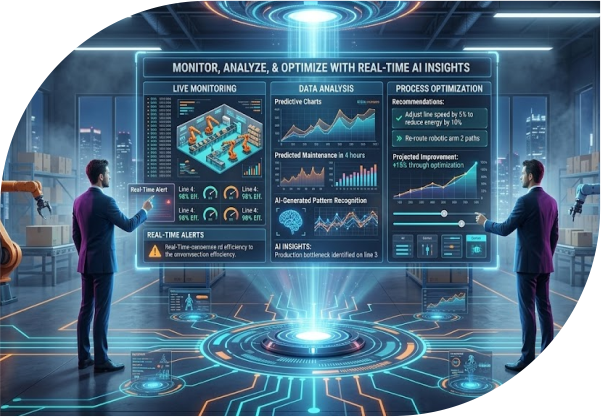
Built to improve visibility, speed, and control across your entire production operation.
See your entire production plan in one visual timeline—across machines, orders, and capacity. Instantly understand what’s running, what’s delayed, and where bottlenecks are forming.
Make changes directly on the schedule with drag-and-drop simplicity. No recalculations, no delays—just fast, confident decisions when plans change.
Overloads, delays, and conflicts are highlighted visually as they happen. Spot problems early and resolve them before they impact production.
Balance workloads and optimize machine utilization in real time. Prevent overloading critical resources and keep production flowing smoothly.
Every change is reflected instantly across the system. Your entire team works from the same live schedule—no version conflicts, no misalignment.
Production, planning, and operations stay aligned with a shared visual schedule. Fewer emails, fewer follow-ups, and fewer miscommunications.
Clearly see underused capacity and overloaded work centers. Make smarter allocation decisions to maximize efficiency without overcommitting resources.
Use visual insights and performance data to refine schedules over time. Identify patterns, eliminate recurring issues, and improve on-time delivery.
Unlike other scheduling tools, VLC Visual Scheduler is built directly into Microsoft Dynamics 365 Business Central, offering a seamless, real-time, AI-driven production scheduling experience.
VLC Visual Scheduler is fully embedded within Microsoft Dynamics 365 Business Central, ensuring seamless synchronization across departments without complex middleware. This allows real-time updates, reducing errors and improving operational efficiency.
VLC Visual Scheduler leverages AI to analyze historical production data, predicting bottlenecks and potential delays. This proactive approach enables planners to make smarter, data-driven decisions, optimizing production scheduling for efficiency.
The platform offers a visual, unified view of all production orders, timelines, and capacity. Real-time updates allow production planners to track progress and quickly adjust schedules, minimizing downtime and ensuring on-time delivery.
With a mobile-friendly interface, VLC Visual Scheduler enables production planners and operators to access and update schedules on the go. This ensures flexibility, faster response times, and real-time updates across teams.
Easily adjust production orders using the drag-and-drop feature, enabling quick responses to disruptions. This feature simplifies rescheduling, reallocation of resources, and resolving unexpected issues in the production process with minimal effort.
| Feature | VLC Visual Scheduler | Standalone Scheduling Tools |
|---|---|---|
| Native ERP Integration | ✓ Embedded in Dynamics 365 | ✗ Requires middleware |
| AI-Powered Scheduling | ✓ Predicts & optimizes | ⚠ Limited or absent |
| Mobile Access | ✓ Fully mobile-enabled | ⚠ Varies by tool |
| Real-Time Syncing | ✓ Automatic with Dynamics 365 | ✗ Requires manual syncing |
| Deployment Time | ✓ Live in 4 days | ⚠ Weeks to months |
| Resource & Capacity Tracking | ✓ Real-time visibility | ⚠ Separate system |
| Drag-and-Drop Scheduling | ✓ Available | ⚠ Not always available |
Watch how VLC Visual Scheduler optimizes your production schedule in just 90 seconds.
Want to see it with your own data?
Book a Live Demo with Our TeamChoose the best next step to explore VLC Visual Scheduler.
Get the full feature list, technical details, and integration capabilities of VLC Visual Scheduler.
Connect with our team to see how you can optimize your production planning.
Talk to our Expert