
Barcode Inventory Management and Real-Time Reporting Solution for Microsoft Dynamics 365 Business Central
Gain Real-Time Insights with Barcode and Report Management
Stay ahead with seamless real-time inventory management and comprehensive reporting capabilities.
Automate Inventory Management and ReportingYour Data Isn’t Wrong. It’s Just Not Captured Right.
Each transaction in your business depends on accurate data, from receiving inventory to shipping orders and generating reports. Yet many teams still rely on manual entry, disconnected tools, or inconsistent labeling methods.
Here’s what inventory tracking looks like in most factories today:
- Parts are counted using clipboards and manual entries.
- Barcode scanning is slow, unreliable, or not even connected to the main system.
- A wrong material is issued, and the mistake is discovered only after production starts.
- During stock take or audit, teams struggle to match physical stock with system records.
Do the above sound relatable? These aren’t isolated issues — they are process gaps that compound over time. The real problem isn’t the data. It’s how it’s captured. And the solution starts at the source.
See How Barcode & Reporting Works in Real Operations
From data capture to reporting, here’s how your process becomes accurate, fast, and fully connected.
Barcode Configuration
Barcodes are created or assigned to items, item variants, SKUs, locations, bins, and even operational entities such as employees or warehouse zones directly within Business Central. Organizations can use standard barcode formats or define their own structure based on internal requirements, ensuring consistent identification across all processes.
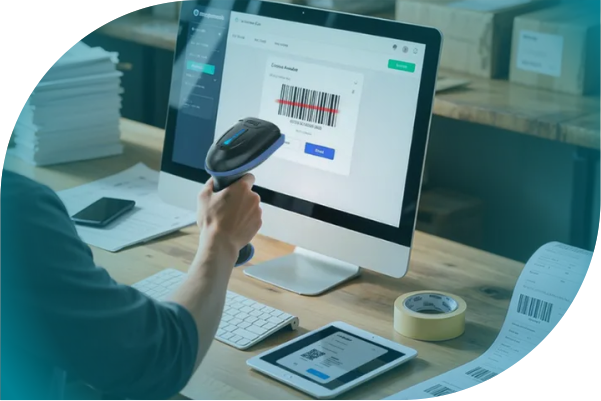
Barcode-Based Data Capture
With barcodes in place, users capture data during receiving, put-away, picking, production consumption, packing, or shipping using handheld devices or mobile interfaces. This ensures real-time data accuracy and improves transaction integrity across operations, reducing manual entry errors by up to 90% and saving hours of daily reconciliation time.

Real-Time Validation & Cross-Reference
As data is captured, each scan is validated immediately against Business Central records. The system checks item numbers, quantities, units of measure, and locations, while also supporting cross-references such as customer/vendor item numbers. Errors are flagged instantly, preventing incorrect transactions.

Instant Transaction Posting
Once validated, transactions are posted automatically. Inventory levels, warehouse entries, and related records are updated in real time, ensuring that stock movements, consumption, and transfers are always accurate and up to date.

Document Integration with Barcodes
With transactions recorded, barcodes are embedded into business documents such as sales orders, purchase orders, invoices, picking lists, packing lists, and warehouse documents. This enables scanning directly from documents, improving traceability and ensuring consistency across internal and external processes.
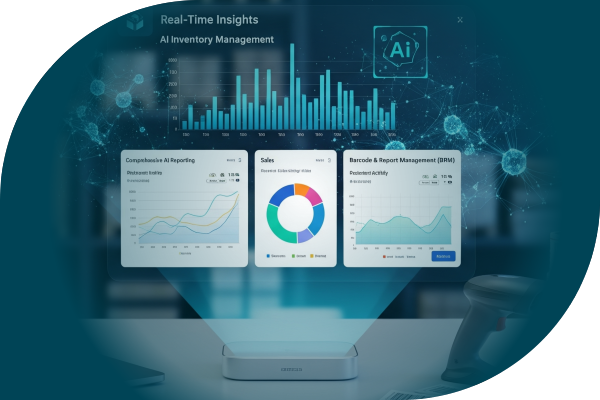
Real-Time Reporting & Analytics
Because all data is captured, validated, and posted, all captured data flows directly into structured reports within Business Central. Reports provide real-time visibility into inventory movement, transaction history, operational performance, and document tracking — reducing reporting time and improving decision accuracy.

Optimized Performance & Image Handling
To support high-volume operations, barcode images are generated through integrated services and stored within the system. This reduces latency during report generation, avoids repeated external calls, and ensures consistent, high-speed performance even during peak operational loads.
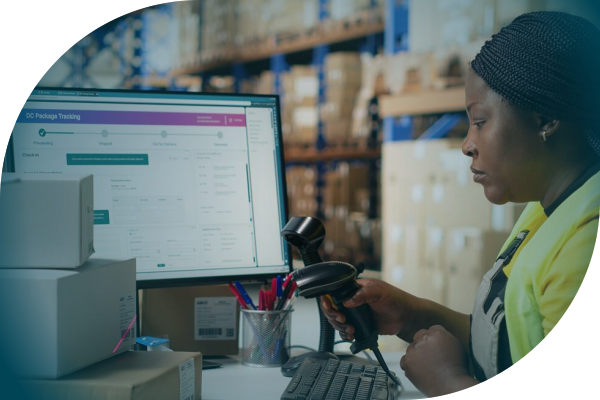
What VLC BRM Delivers from Day One
Built to improve accuracy, speed, and visibility across your entire operation.
Accurate Data Capture
Capture every transaction at the source using barcode scanning, eliminating manual errors and ensuring consistent, reliable data across all operations.
Faster Operational Execution
Accelerate receiving, picking, packing, and shipping processes with streamlined scanning workflows that reduce delays and improve productivity.
Real-Time Reporting & Visibility
Access up-to-date insights instantly, without waiting for manual updates or reconciliation, enabling faster and more confident decision-making.
Complete Traceability Across Operations
Track every item movement across locations, documents, and processes, ensuring full visibility and accountability throughout the supply chain.
Professional & Consistent Document Output
Generate documents with embedded barcodes for improved clarity, accuracy, and standardized communication across internal and external stakeholders.
Seamless ERP Integration
Because the solution is built directly inside Business Central, all data flows automatically across inventory, warehouse, and financial processes without duplication.
Everything You Need to Capture, Track, and Report Data Accurately
Barcode Creation & Management
- Support standard formats like UPC, EAN, and CODE128 along with custom barcode structures
- Create barcodes using company-specific identifiers such as country and manufacturer codes
- Assign barcodes at item, variant, SKU, bin, location, and employee levels
- Maintain centralized control and consistency across all barcode data
Scanning & Operational Data Capture
- Enable real-time scanning across warehouse and operational workflows
- Capture data instantly during receiving, picking, packing, and shipping
- Validate transactions dynamically to prevent errors
- Support mobile and handheld scanning devices for on-floor operations
Document & Report Integration
- Embed barcodes into sales, purchase, and warehouse documents
- Generate reports with accurate, real-time data
- Support professional document layouts for customer-facing outputs
- Extend reporting capabilities for custom business needs
Cross-Reference & Traceability
- Link barcodes with internal and external item references
- Enable quick lookup and verification through scanning
- Improve traceability, reducing document errors and improving process consistency
- Support multi-level tracking across locations and processes
Barcode Image Management
- Generate barcode images through integrated services
- Store images in the database for reuse
- Eliminate repeated external calls during report execution
- Ensure faster and consistent report generation
Inventory & Warehouse Alignment
- Keep inventory data synchronized with real-time scanning
- Improve accuracy of stock levels and movements
- Support warehouse processes like bin management and transfers
- Reduce discrepancies across locations
Scalability & Performance
- Handle high transaction volumes without performance impact
- Support multi-location and enterprise-scale operations
- Ensure reliable performance during peak usage
- Adapt to growing business requirements
Why VLC and Not Just Any Barcode Solution?
Native Business Central Integration and not an External Add-On
Most barcode tools operate outside the ERP, requiring manual coordination or separate systems. VLC works directly inside Business Central, ensuring inventory, transactions, and reporting remain connected and updated in real time without duplication or reconciliation.
End-to-End Workflow Coverage
This solution goes beyond barcode generation. It supports the complete process from data capture and validation to document integration and reporting, ensuring every transaction flows seamlessly without gaps, delays, or dependency on multiple tools.
Performance Built for High-Volume Operations
Barcode images and data are stored within the system, reducing dependency on external services. This ensures faster report generation, consistent output, and reliable performance even during peak workloads and high transaction volumes.
Designed for Real Operations
Built for warehouse teams and operational users, the system offers intuitive scanning workflows and minimal training requirements. It enables faster adoption, improves accuracy on the floor, and supports real-world execution of daily processes.
Accelerate user adoption and reduce training time by up to 50%, while improving operational accuracy on the shop floor.
| Feature | VLC Barcode Solution | Standalone Barcode Tools |
|---|---|---|
| ERP Integration | ✓ Built into Business Central | ✗ External / manual sync |
| Real-time updates | ✓ Instant | ⚠ Delayed / batch-based |
| Document integration | ✓ Native | ⚠ Limited |
| Reporting | ✓ Real-time | ✗ Separate |
| Performance | ✓ Optimized | ⚠ External dependency |
| Deployment | ✓ Fast | ✗ Complex |
See Barcode & Reporting in Action
Watch how a single scan updates inventory, validates transactions, and generates real-time reports — all within Business Central.
Want to see it with your own data?
Book a live demo with our teamFull Capability Overview
Data Capture & Tracking
- Real-time barcode-based data capture
- Instant validation and transaction updates
- End-to-end traceability across operations
Operations & Reporting
- Real-time document generation
- Accurate inventory and transaction reports
- Centralized data visibility
System Integration & Performance
- Built natively inside Business Central
- High-speed processing and optimized storage
- Scalable across locations and operations
Want to Improve Inventory Accuracy with Barcode Tracking?
Choose the best next step to explore VLC Barcode & Reporting.
Download Fact Sheet
Get complete details on barcode scanning, real-time inventory updates, and system integration.
View on AppSource
Explore VLC Barcode & Reporting on the Microsoft AppSource marketplace.
View on AppSourceTalk to an Expert
Speak with our team to understand how VLC improves inventory accuracy and control.
Talk to our Expert